
How to Get the Free Hunter Evolution in Clash Royale (QR Code Included)

By Sasha • Last updated December 1, 2025
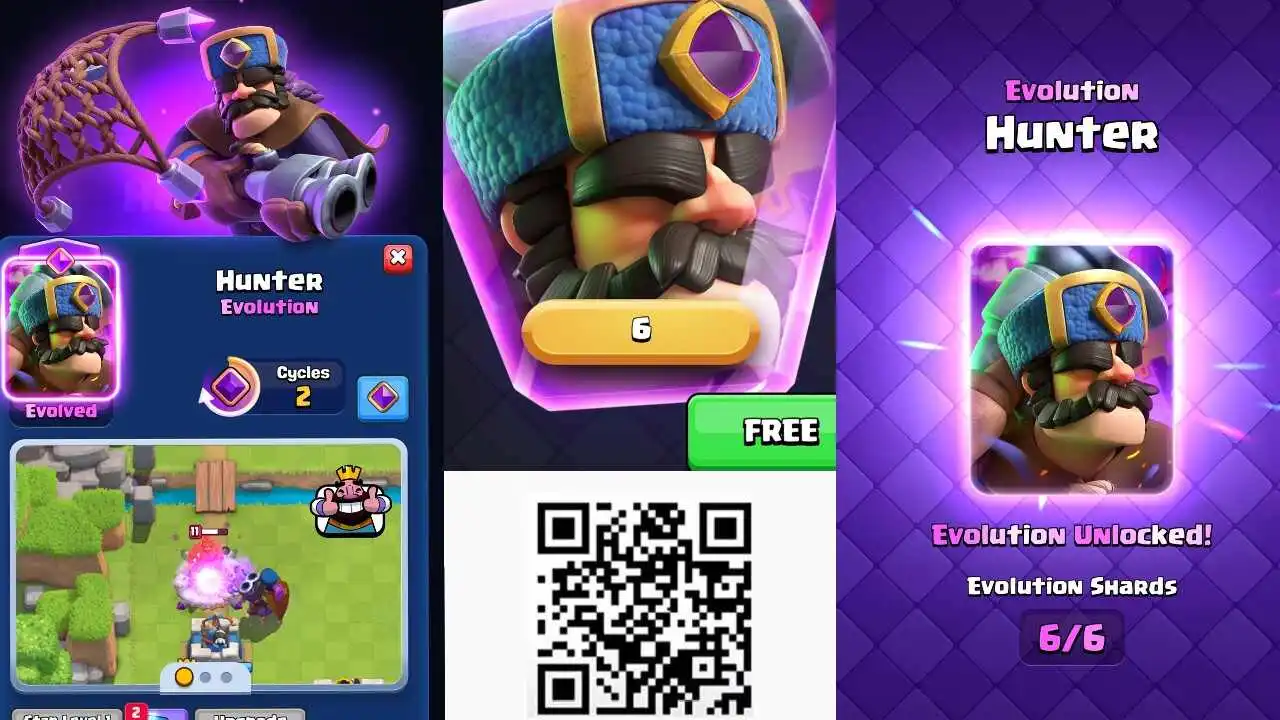
Learn how to unlock the free Hunter Evolution in Clash Royale by scanning the official QR code and logging into your account. The Evo Hunter is available until December 2, 2025 as part of the latest update.
Clash Royale Free Hunter Evolution QR Code Guide
| Free Hunter Evolution QR Code Expiration Countdown Timer |

00Days
00Hours
00Mins
00Secs
|
Clash Royale is giving away a free Hunter Evolution through a limited-time QR code promotion. This offer ends on December 2, 2025, so make sure to grab it before it’s gone.
Step 1: Scan or Save the QR Code

Free Hunter EvolutioQR Code Clash Royale
You can scan the QR code using your phone’s camera, or take a screenshot and open it from your gallery to scan later. The link will take you to the official Supercell site, not directly into Clash Royale.
Step 2: Log Into Your Supercell ID
If you already have a Supercell ID, just log in to your account and you’ll be able to claim the Hunter Evolution. If you don’t have one yet, you’ll need to open Clash Royale and create one first.
Steps are listed below.
Step 3: Claim Your Free Evo Hunter
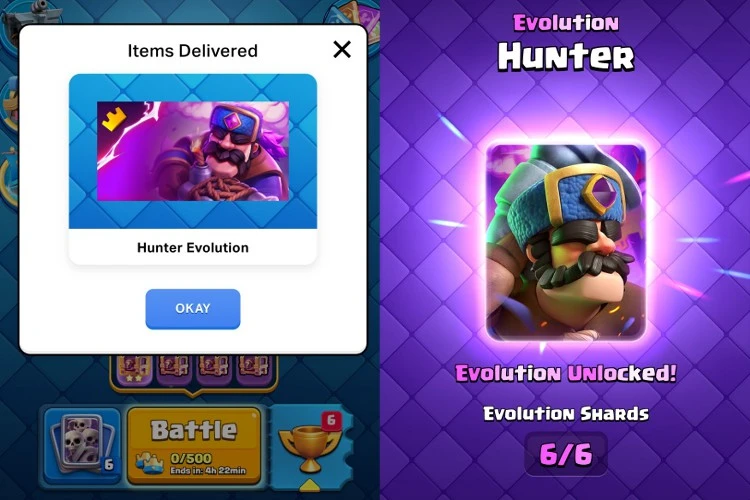
Once you’re logged into your Supercell ID, hit the claim button on the website. Then just open Clash Royale and you’ll see a pop-up saying “Items Delivered” with your free Hunter Evolution ready to use.
Make sure to do it before December 2 or you’ll miss out.
How to Create a Supercell ID to Claim Evo Hunter
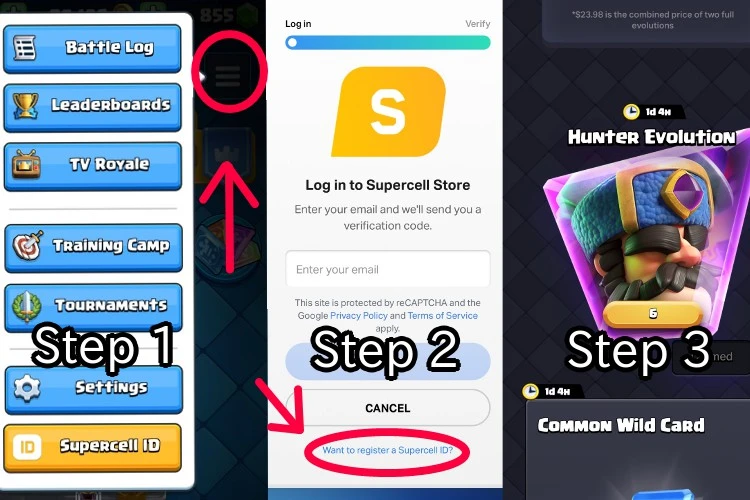
If you don’t already have a Supercell ID, here’s how to make one directly so you can claim the Evo Hunter.
- Step 1: Open Clash Royale and tap the three lines in the top right corner of the main screen to open the menu. At the bottom of the menu, tap the yellow button that says Supercell ID.
- Step 2: It will take you to the supercell website where it will say log in, but since you need a new account, tap “Want to register a Supercell ID?”. Then follow the prompts to create your account and confirm your email.
- Step 3: Once you’re in, you’ll see the Supercell rewards page. Scroll until you see the Hunter Evolution and tap Claim.

 Skibidi Times
 Sasha
Sasha 

 Jei
Jei 




Leave a Reply